Meet your new favourite calendar
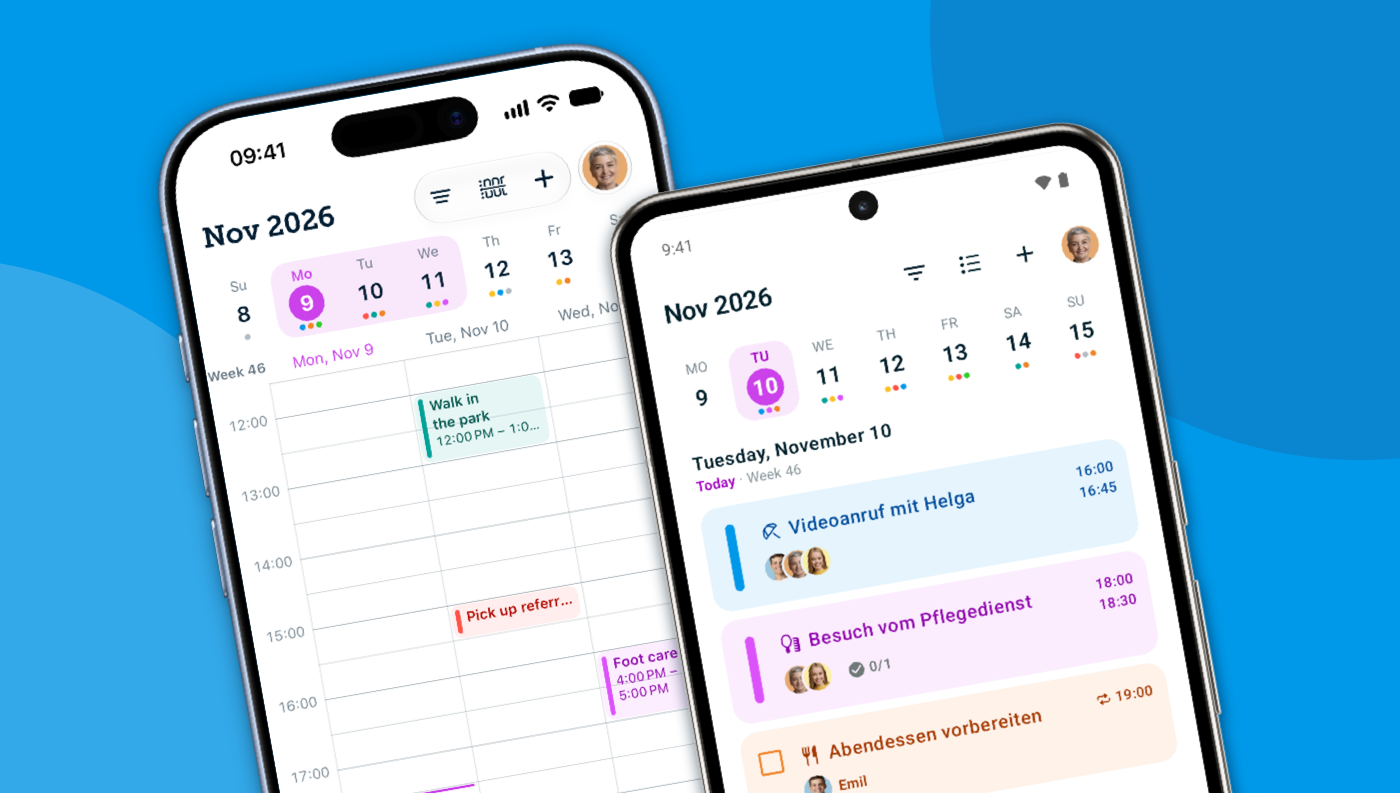
Meet the new calendar: View your tasks in a list, monthly, or 3-day view. Plus, your home screen shows what’s due today right away, and recurring tasks stand out at a glance.
New features and improvements
-
✅ Due today
Your home screen lists today's tasks and appointments together. Anything overdue is at the top.
-
🔁 Recurring tasks
A small icon shows you what repeats. And when you change something, you decide whether it applies just this once or to everything that follows.
-
📅 The new calendar
List, month or 3 days side by side. You can search and filter by person.
-
🙋 Tasks with people in charge
Take a task on or hand it back. If you passed a task to someone else and it's overdue, you'll see “Assigned by you”.
-
👍 RSVPs
When you invite people to an appointment, the list shows how many have said yes, for example “2/3”.
Other improvements ☀️
-
Faster and safer
The calendar loads faster. Confirmation codes you paste are picked up reliably.
-
New intro and “What's new”
After installing, four slides walk you through fabel. After an update, a sheet shows you what has changed.
-
New design on iPhone
With iOS 26, fabel comes in the new Liquid Glass look: clear, light and pleasant to use. This applies to iPhone only.
-
iOS 18
fabel 1.12 on iPhone needs iOS 18 or later.